Almost every WooCommerce shop runs the product page its theme shipped with. That page was designed to look reasonable for any shop selling anything, which means it is not designed for yours. It is also, on most shops we look at, the page where the most traffic arrives from Google and the most visitors leave.
A product page has one job: give someone enough confidence to click add to basket. Everything on it either helps with that or gets in the way.
What we look at
- The questions you keep being asked. If customers email to ask what size it is, whether it fits, or how long delivery takes, the product page is not answering them, and for every person who emails, many more leave. Your inbox is the best redesign brief you will ever get.
- Variations that make sense. Colour, size, length, finish, quantity break. WooCommerce's default variation dropdowns are workable for three options and miserable for thirty. Swatches, tables, matrices and configurators all have their place.
- Stock, honestly. Trade buyers in particular need exact quantities to plan work. "In stock" is not enough when someone needs to know whether you have forty metres or four.
- Price, shown the right way. Inclusive, exclusive, or both, and different for trade and retail customers if you sell to both. Getting VAT display wrong on a B2B shop quietly costs orders every day.
- Bulk and trade pricing. Tiered price tables, quantity discounts and minimum orders, made visible on the page rather than discovered at checkout.
- Delivery expectations. When will it arrive, what does it cost, and can they collect. Shown on the product page, not three clicks later.
- Photography that does the work. Zoom, alternate angles, scale references, video where it helps. Most shops have better photography than their product page is showing.
- Trust at the point of decision. Returns policy, guarantees, reviews, who you are, placed where the hesitation actually happens.
- The mobile version, first. Most product page traffic is on a phone, where the add to basket button is often below three screens of tabs.
Product pages are also your SEO
For most shops, product pages are the great majority of the site's indexable pages and the great majority of its search traffic. They are also usually the weakest: thin manufacturer-supplied descriptions, missing structured data, and titles that read like a warehouse catalogue.
- Product structured data so prices, stock and reviews can appear in search results
- Page titles and descriptions built from how people actually search, not from your SKU naming
- Descriptions that answer real questions rather than repeating the manufacturer's blurb
- Sensible internal linking between related and complementary products
- Image sizes and loading behaviour that do not cost you a second of page speed per photograph
Selling more per order
Once the page is doing its main job properly, it can do a second one. Related products chosen deliberately rather than by WooCommerce's default guesswork; genuine accessories and consumables offered at the moment they make sense; frequently-bought-together groupings; and a nudge towards a free-delivery threshold when the customer is close to it. Done well this is helpful. Done badly it is clutter, which is why we start with the decision and add the selling afterwards.
Work like this
Recent WooCommerce projects.
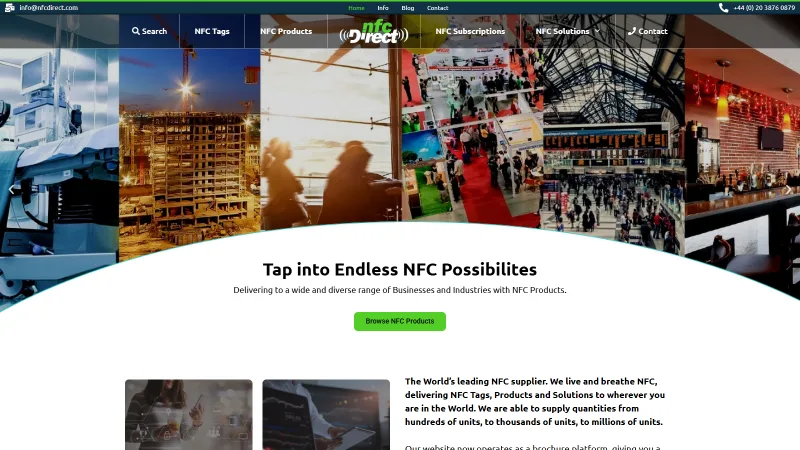
NFC Direct
A clean redesign and migration from PrestaShop to WooCommerce
A redesign and a platform migration for a UK supplier of NFC tags and contactless products, moving a PrestaShop shop onto WooCommerce.

Immediate Care Medical
Course bookings, recruitment and compliance on one WordPress site
A Birmingham private ambulance, event medical cover and training provider whose WordPress site sells course seats, runs clinical recruitment and tracks which staff have read which policy. We have supported and developed it since 2021.
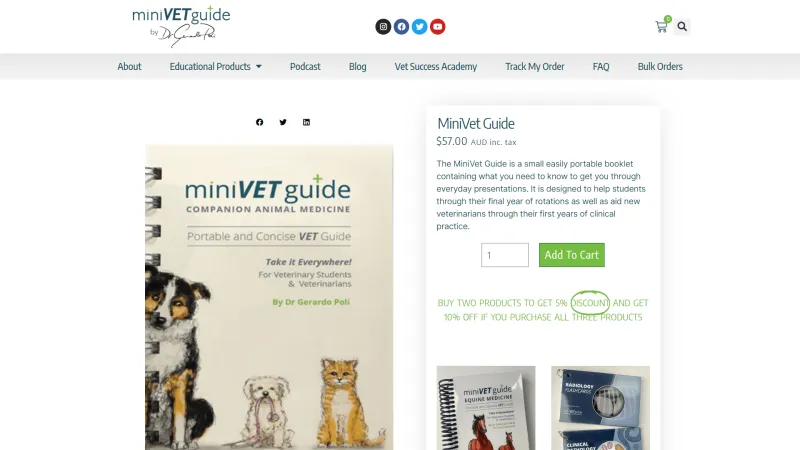
MiniVet Guide
One brand, multiple markets, automated fulfilment
A veterinary publisher's stores across several markets, supported since 2018 with fulfilment, routing, course provisioning and worldwide shipping.
How a product page project runs
-
1
We look at what you have
Your current product page, your analytics, and the questions customers keep asking you.
-
2
We tell you what is costing you orders
Specific and prioritised: the things worth fixing first, and the things not worth touching.
-
3
A design you sign off
Agreed before any development, on your real products rather than a placeholder.
-
4
Built and tested
Across your product types, on a private site, on real devices.
-
5
Live, then measured
We look at what actually changed rather than assuming it worked.
Common questions
Do you have to rebuild my whole theme?
Usually not. Product page work can generally be done through child theme templates and blocks, leaving the rest of your site alone. If your theme is fighting us at every turn we will say so, and explain what a rebuild would involve before you commit to one.
We sell to trade and to the public. Can one page do both?
Yes, and it usually should. The same product page can show trade pricing, quantity breaks and exclusive-of-VAT prices to logged-in trade customers while showing a straightforward retail price to everyone else. Getting this right is one of the more common reasons people come to us.
We have thousands of products. Is this practical?
It is: the work is done once in the template and applies across the catalogue. The bigger job on large shops is usually the product data behind the page rather than the page itself, and we will be honest with you about which of the two is actually holding you back.
Will this break when WooCommerce updates?
Not if it is built properly. Customisation done through a child theme and supported hooks survives updates; customisation done by editing core files does not. We only do the former, and we have cleaned up enough of the latter to know why it matters.
Send us a link to a product page you are not happy with and we will tell you what we would change. Get in touch, or read about cart design and checkout design, the two pages that come next.
Add AI to your store
Product content, recommendations, support chat and pricing intelligence, on the platform you already run.